Headphones Not Working? Common Causes & Fixes
The usual cause is a software or connection problem, not a broken driver. Most headphones fail because the wrong audio output is selected. Others fail because the Bluetooth pairing slipped or the jack lost contact.
Genuine driver or cable failure is far less common than people assume.
Our research and manufacturer guidance confirm that 60 to 80 percent of "dead headphone" reports trace back to source devices, not the cans themselves. That means a fifteen-minute diagnostic beats a new purchase almost every time. Fixes follow a clear order: hardware first, then software, then the source.
Let's walk through the triage.
Start Here: The Two-Second Triage That Saves You 20 Minutes
Plug your headphones into a second device. This one move tells you whether the problem lives in the headphones or the source. If they work elsewhere, your headphones are fine and the issue is software on the original device.
If they stay silent, you've narrowed it to the hardware or pairing itself.
Three quick questions drive the whole decision tree:
- Did you recently update the OS or a driver? Windows and macOS updates have both broken audio routing before.
- Are these Bluetooth or wired? Bluetooth failures trigger different fixes than jack failures.
- Is it one side or both? A single dead ear is almost always a physical or channel problem. Both ears dead usually means routing or pairing.
The order matters. If you go straight to resetting your headphones before confirming they work on another device, you risk erasing a working pairing for no reason. A factory reset on TWS earbuds wipes multipoint pairings.
Confirm the problem first, then reset.
As of 2026, the most common self-inflicted cause is still the same: audio routed to laptop speakers while Bluetooth buds sit idle. That's an output-selection issue, not a hardware fault.
One Side Silent? Here's What's Actually Going On
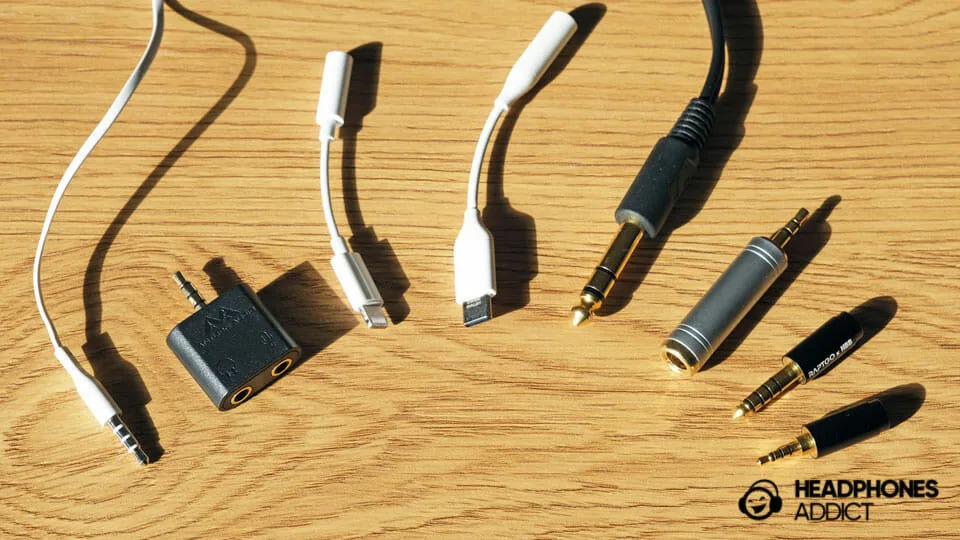
One ear dead, one ear fine, points to a channel problem. In wired headphones, that's usually the 3.5mm plug losing a conductor. The tip carries one channel, the ring carries the other.
If the ring contact is dirty or bent, one side drops out. That's why a quick twist of the plug often brings it back.
Try this sequence:
- Rotate the plug gently while audio plays. If the sound flickers back, the jack or plug contact is the culprit.
- Wipe the plug with a dry lint-free cloth. Never push liquids into the plug.
- Blow compressed air into the phone or laptop jack. Lint and pocket debris cause most jack-detect failures.
- Swap the cable if it's detachable. A new cable rules out a broken conductor.
For Bluetooth earbuds, one side dropping is different. It's usually a pairing desync between the two buds. Drop both into the case, close the lid, wait ten seconds, then reopen.
That forces a fresh buddy-pair. If that fails, forget the device in your phone and re-pair from scratch.
One more possibility: the right-left balance slider in your OS. It happens more than people admit. Check Settings, then Accessibility, then Audio Balance.
If the slider sits left of center, one ear is silent by design.
Both Ears Dead? Work Through These in Order
Both ears silent and the headphones aren't in Bluetooth mode is almost always a source or routing problem. Walk through these in order. Stop the moment sound returns.
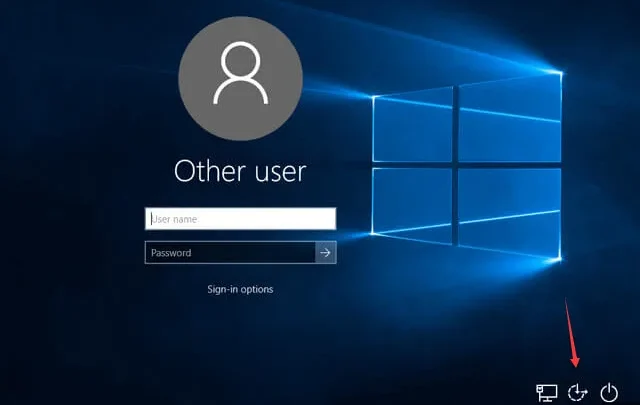
- Check the OS output device. Windows: right-click the speaker icon, open Sound settings, confirm your headphones are the default output. macOS: System Settings, Sound, Output.
- Toggle Bluetooth off and on. On phones, flip Airplane mode on for five seconds, then off. This resets the Bluetooth stack cleanly.
- Forget and re-pair. In your Bluetooth list, tap Forget This Device, then pair again.
- Try wired mode if your cans support it. Most wireless over-ears ship with a 3.5mm backup cable. If wired works, the hardware is fine and the issue is Bluetooth related.
- Check app-level mute. Zoom, Teams, and Discord each have their own mute and audio-device dropdowns that override the OS.
- Reinstall or update the audio driver on Windows. Realtek and Intel drivers have shipped broken updates before.

If both ears stay dead after all six steps and the headphones fail on a second device too, you're looking at hardware. A dead driver, a broken PCB, or a swollen battery. That's when a warranty claim makes sense.
Bluetooth Headphones Connected but Silent: The Output Routing Trap
Connected but no sound means the headphones paired, but your phone or laptop is still sending audio somewhere else. Bluetooth pairing and audio routing are two separate states. A device can show "Connected" in the list and still have zero audio going to it.
The fix depends on your OS:
- Windows: click the speaker icon, select your Bluetooth headphones from the output dropdown. Verify the volume slider isn't muted.
- macOS: System Settings, Sound, Output. Pick the headphones. Then open Audio MIDI Setup if the sample rate looks wrong.
- iPhone: Control Center, tap the AirPlay icon, choose your headphones.
- Android: pull down the media panel, tap the output selector, pick the buds.
Multipoint pairing is a common trap here. If your buds are connected to both a phone and a laptop, the laptop may hold the active audio stream while you're staring at your phone. Disconnect the other device or turn off its Bluetooth entirely.
Codec mismatches can also cause silence rather than stutter. A2DP is the standard profile that carries stereo audio. If a device negotiates a codec the headphones don't support, you get a connection with no playback.
Removing the pairing and re-adding it usually forces a fresh codec handshake.
| Symptom | Most Likely Cause | First Fix |
|---|---|---|
| Connected, no sound | Wrong output device | Change OS output dropdown |
| Sound on phone not laptop | Multipoint conflict | Disconnect other device |
| Stutter or dropout | Codec or 2.4GHz interference | Move away from Wi-Fi router |
| One bud only | Buddy-pair desync | Reset in charging case |
The Diagnostic Table: Match Your Symptom to the Likely Fix
Match your symptom to the row below. This table is the fastest path from "broken" to "fixed." Each row assumes you've already confirmed the headphones work on a second device.
| Symptom | Likely Cause | Try This First | Escalate If |
|---|---|---|---|
| One ear silent, wired | Dirty or bent 3.5mm plug | Clean plug and jack | Cable swap fails |
| One ear silent, wireless | Bud pairing desync | Case reset | Re-pair fails twice |
| Both ears dead, wired | Jack detect failure | Compressed air in port | Driver reinstall fails |
| Both ears dead, wireless | Wrong output device | Change OS output | Wired mode also fails |
| Crackling when moving | Broken cable or hinge | Swap detachable cable | Internal solder joint |
| Static on Bluetooth | 2.4GHz interference | Move router, disable Wi-Fi on 2.4GHz | Codec force change |
| No mic on calls | Wrong input device | Check app input dropdown | TRRS pinout mismatch |
| Charging case dead | Debris in port | Clean with wooden toothpick | Battery swollen |
Two quick notes. A TRRS pinout mismatch (CTIA vs. OMTP) explains why a mic works on an old phone but not a new one.
And a swollen charging case battery is a safety issue, not a repair project. Stop using it and contact the manufacturer.
Mistakes That Make It Worse (and the Real Fixes People Skip)
Pulling the plug mid-playback and jamming it back in is the number one mistake we see. It bends the tip conductor and loosens the jack spring in phones and laptops. Plug in gently, straight, and all the way.
Resetting headphones before proving they work elsewhere is mistake two. A factory reset wipes multipoint pairings, custom EQ, and saved device lists. You'll spend twenty minutes rebuilding something that was never broken.
Confirm the problem on a second device first.
Mistake three: cleaning a 3.5mm jack with liquids or metal tools. Isopropyl on a cotton swab is fine for a laptop port when the device is off. Never spray into the jack, and never scrape with a paperclip.
Mistake four: assuming a dead battery means dead hardware. Many TWS earbuds hold a phantom charge in the case that shows as "connected" while the buds themselves are flat. A full 90-minute case charge often revives them.
Mistake five: ignoring app-level mute. Discord, Zoom, and Teams each have their own audio-device dropdown that overrides the OS. A quick check there saves a driver reinstall.
Mistake six: running firmware updates mid-pairing. That can leave a bud stuck in DFU mode. Let the update finish, then reconnect.
The fixes people skip most often are boring but effective. Clean the jack. Forget and re-pair once.
Try wired mode on wireless cans. Check the app dropdown. These four solve the majority of cases.
When It's Genuinely Broken: Hardware vs. Everything Else
Real hardware failure has a signature. It fails the same way on every device, every time. If your headphones are silent on your phone, laptop, and a friend's tablet, that's hardware.
Stop troubleshooting the source.
The five failures worth replacing rather than repairing:
- A dead driver (one side silent at every volume, no flicker when you wiggle the plug).
- A snapped conductor inside a fixed cable (sound cuts when the cable bends near the strain relief).
- A swollen or dead battery (won't hold charge, case feels bulged).
- A cracked headband or hinge on over-ears (physical break, not electrical).
- Water damage (buzzing, muffled output, corrosion on contacts).
Repairs that make financial sense: replacing a detachable cable, swapping ear tips or cushions, and cleaning corroded charging pins. These cost under £20 usually and take minutes.
Repairs that rarely make sense: replacing a soldered driver, repairing a cracked PCB, or chasing an intermittent fault on a £40 pair of earbuds. Labour costs more than a new pair.
Warranty windows matter here. Most headphones carry a one-year warranty. Earbud batteries often get a separate, shorter window.
If you're inside warranty, contact the manufacturer before opening anything. Opening a sealed unit typically voids coverage.
One safety warning. A swollen lithium battery is a fire risk. Don't charge it, don't puncture it, and don't store it near anything flammable.
Contact the manufacturer for disposal guidance.
FAQs: The Questions Everyone Asks Mid-Panic
Why do my headphones work on my phone but not my laptop?
Your laptop's audio output is set to the wrong device or its driver is stale. Open Sound settings, confirm the headphones are the default output, then reinstall the audio driver if the dropdown doesn't show them.
Why is only one earbud working?
One earbud silent usually means the two buds lost their buddy-pair. Drop both into the charging case, close the lid, wait ten seconds, and reopen. Then forget the device and re-pair from scratch.
Why do my Bluetooth headphones keep disconnecting?
Weak signal, interference, or a stale pairing. Move away from 2.4GHz Wi-Fi routers and microwaves, forget the device, and re-pair. If it still drops, reset the headphones and update firmware.
Why is my mic not working on calls?
Your app is using the wrong input device. Check the mic dropdown in Zoom, Teams, or Discord. If wired, confirm your cable is TRRS (four conductors) and matches your device's CTIA or OMTP pinout.
Can a dead headphone battery be replaced?
Sometimes. Over-ear models with removable batteries are straightforward. Sealed TWS buds usually aren't worth opening, and doing so voids warranty.
Contact the manufacturer first if you're inside coverage.
Do cheap USB-C to 3.5mm adapters cause issues?
Yes. Passive adapters only work on phones that output analog audio over USB-C. Others need an active DAC adapter.
If yours is passive and you hear nothing, that's the mismatch.

Similar Posts